 coevio
Agentry
Describe a change.
Ship it with guardrails.
An open-source delivery queue for AI coding agents. An agent builds your change in a sandbox, tests and an independent reviewer check it, and Agentry deploys it and confirms production runs the new commit.
- Open source, MIT license
- macOS & Windows
- Claude Code, Codex and more
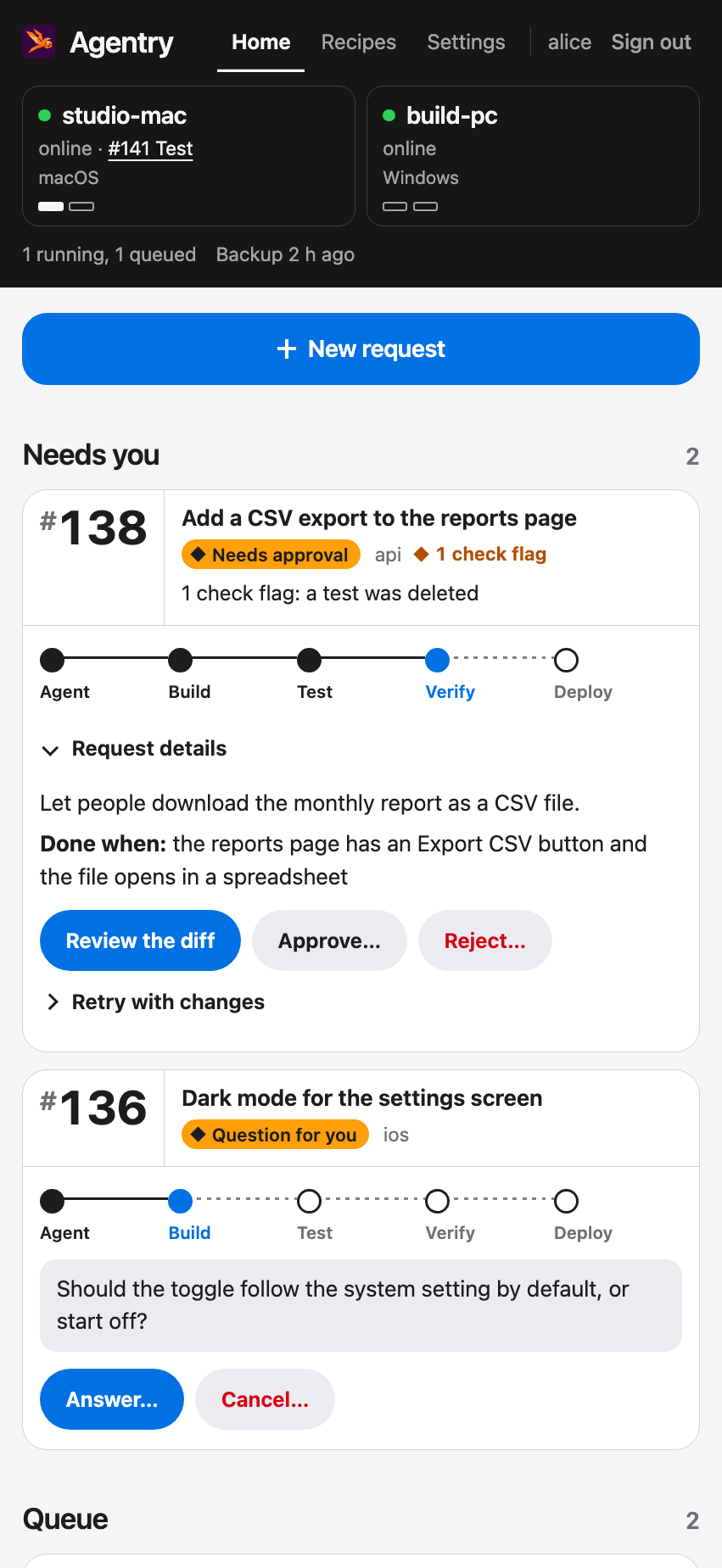
Illustration with example projects. View larger
From request to production
One request, a fixed pipeline, and a person only where risk calls for one.
Describe it
Write what you want in plain language, with a “done when” line that says how to tell it worked. Queue it from your phone or the command line, and attach screenshots or documents.
An agent builds it
The agent works in its own worktree inside a sandbox. It can’t read your home folder, keychain, SSH agent or your own checkout. If something is unclear, it asks you a question instead of guessing.
It gets checked
Agentry inspects the change, builds it and runs your tests. A second, read-only model call then checks the diff against your done-when line. Passing tests alone don’t count as proof.
You decide what’s risky
Changes to build files, deleted or skipped tests and lower test counts wait for your approval. A change outside the project’s folder stops before it’s pushed, and no approval can override that.
It ships, verified
Agentry pushes the commit and runs your deploy. Then it reads each target’s live version and compares it with the commit. A mismatch is a failure, not a success.
Guardrails, not hope
Everything that can go wrong stops in a named state, with the next step spelled out.
Built for unattended work
A lease, fenced writes and startup recovery mean a crashed runner never deploys twice, never loses a push and never leaves processes behind. Projects that deploy to the same place never deploy at once. Every change of state is logged with who made it, and nightly backups cover the database and every branch in flight.
Yours to run
Agentry runs on your own Mac or Windows PC, with your own AI subscription. Sign in to its web UI with a passkey, run up to eight requests at once, and put a Mac and a Windows PC on one queue, so iOS builds run on the Mac and the rest on the PC.
Get started
Agentry is free and open source under the MIT license.
On a Mac
- Install Bun, git and an AI coding agent such as Claude Code.
- Clone the repository and run
setup/mac-setup.sh. It installs theagentrycommand and starts the web UI and the runner. - Save your agent’s token, register a project with its recipe, and queue your first request.
On Windows
Run setup/windows-setup.ps1 in an elevated PowerShell. It installs Bun and Claude Code and runs the agent as a separate low-privilege Windows user.
Step by step
The install guide walks through each step, with a check after each one. It’s written so an AI assistant can guide you through it too.
Agentry needs your own machine and AI subscription; nothing is hosted for you. Questions, ideas and bug reports are welcome on GitHub.