 coevio
Bliss Personal Finance
Know where your money goes.
A calm, private budget app for iPhone. Log what you spend and earn, keep budgets and bills on track, and file receipts in seconds. Everything stays on your phone.
- iPhone
- iOS 17 or later
- Free
Free, with no account, no ads and no tracking.
Coming to the App Store.
Example data. View larger
Your money, in plain view
See the month, keep budgets honest, pay bills on time and save toward what matters.
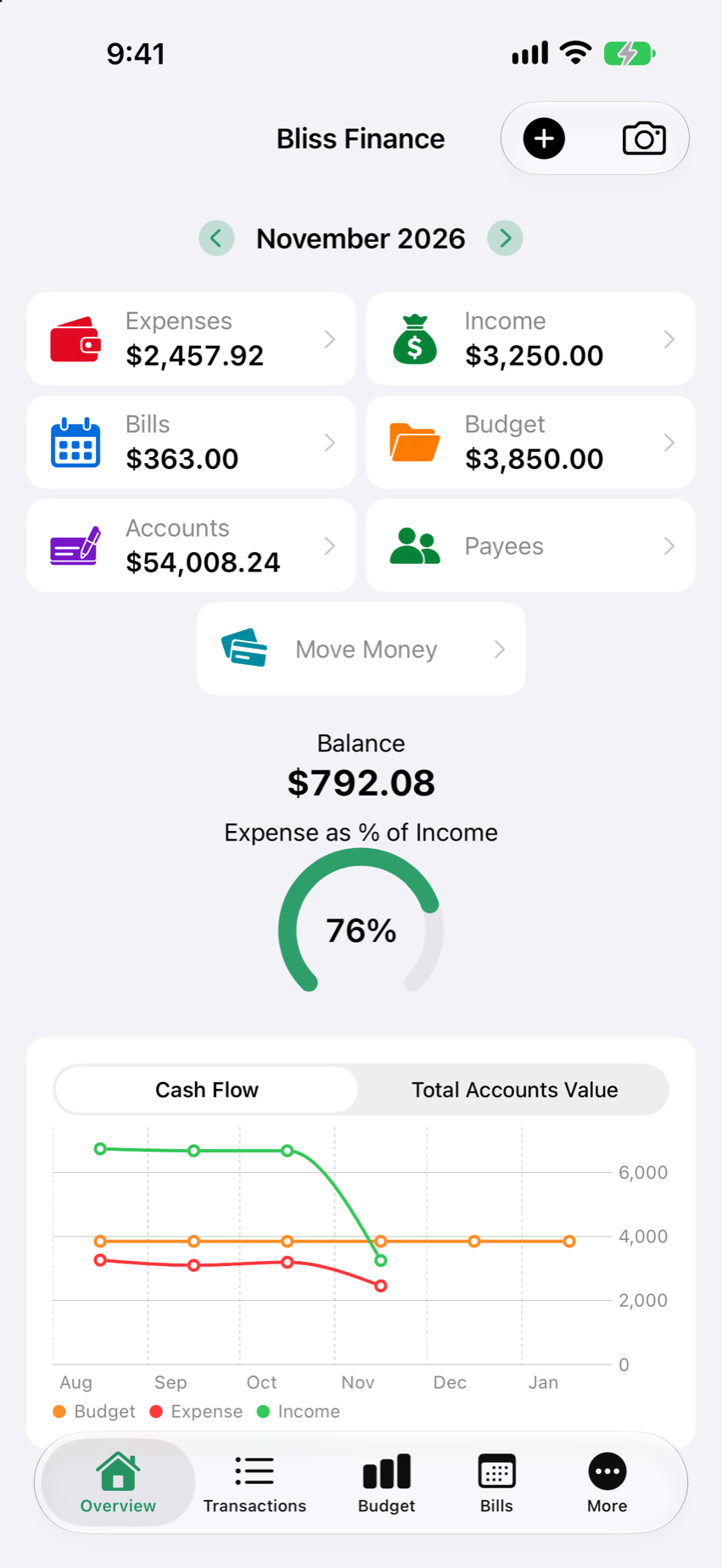
See your month
Income, expenses, bills, budget and accounts on one screen, with charts over time.
View larger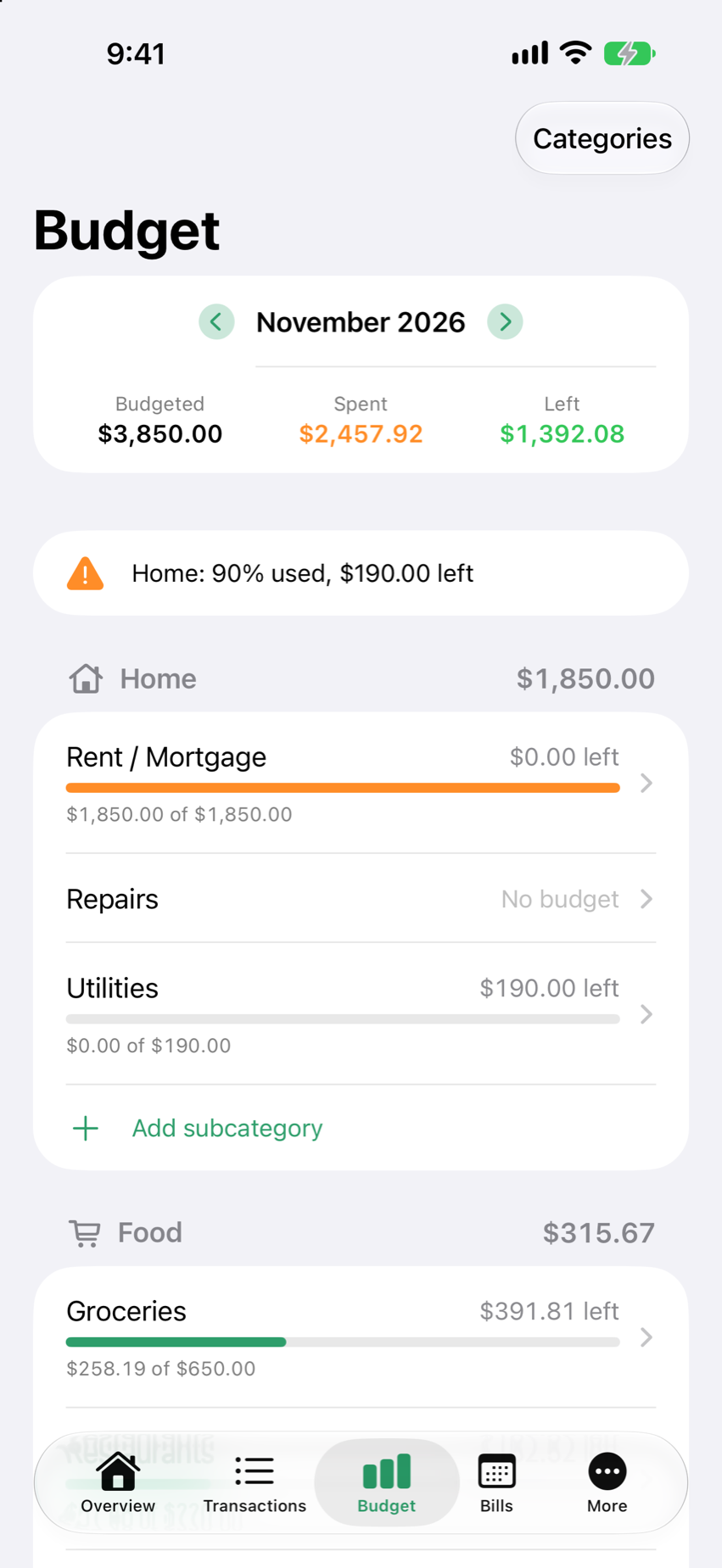
Stay on budget
Set a monthly budget per category. Bliss warns you at 80% and when you go over.
View larger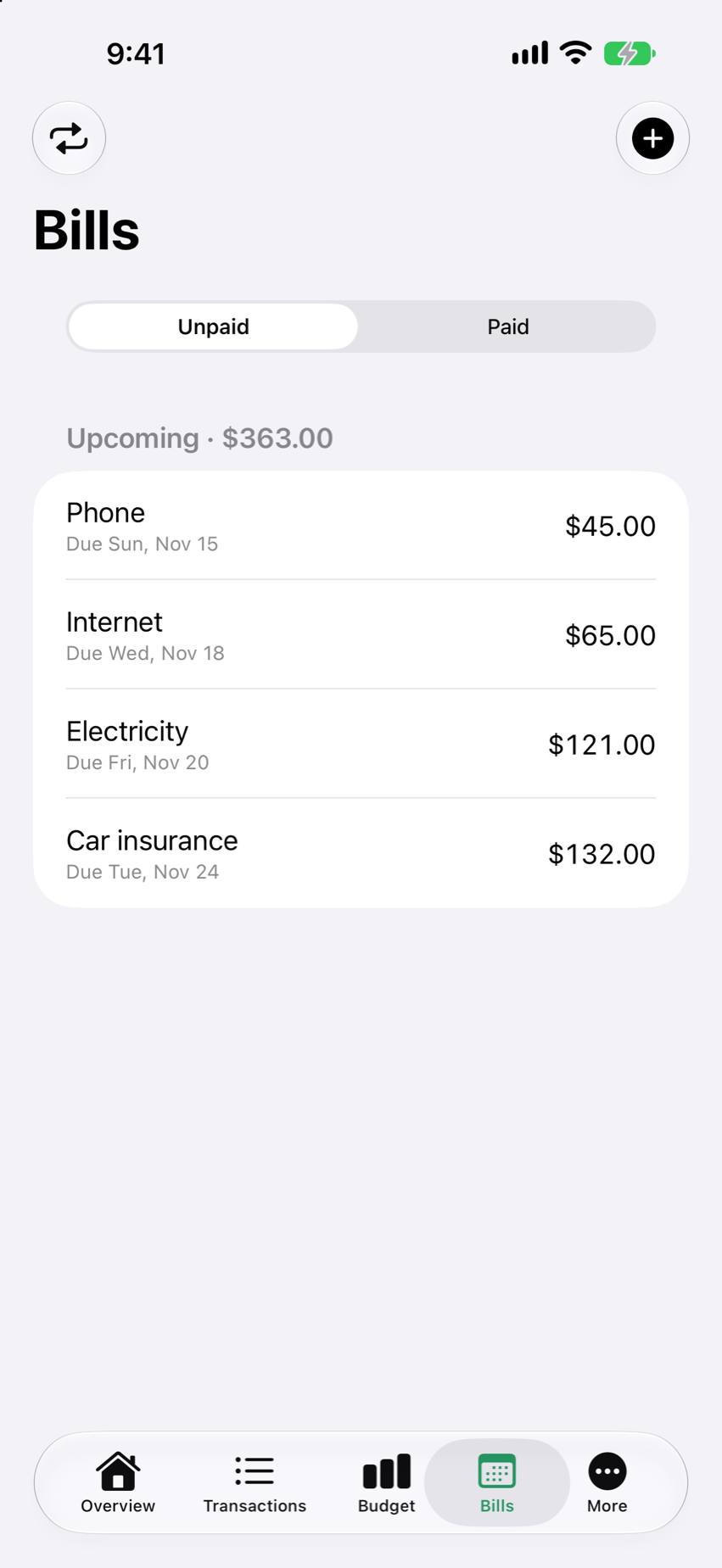
Pay bills on time
See what's due and get a reminder the day before and on the day.
View larger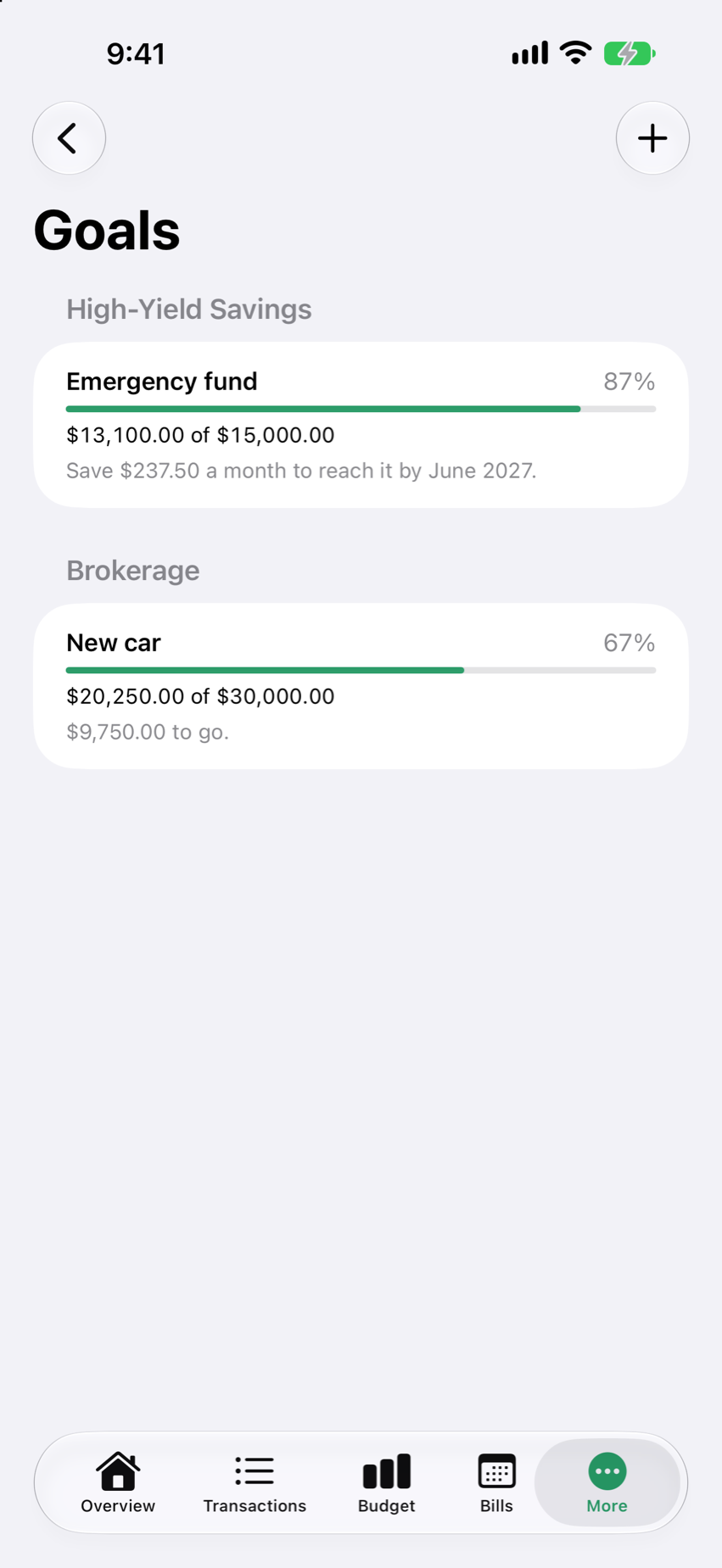
Save toward a goal
Pick an amount and a date. Bliss tells you how much to put aside each month.
View largerScreens show example data.
Everything a household budget needs
And nothing that sends your data anywhere.
Budgets and bills
Give each category a monthly budget, with optional rollover of what's left. Get a heads-up at 80% and when a budget is over. Add bills with due dates, mark them paid in one tap, and turn on reminders. Recurring income, expenses, transfers and bills are entered for you.
Receipts without the shoebox
Scan a receipt with the camera, share one from another app, or capture it from the Lock Screen, Control Center or Camera Control and file it later. Bliss reads the shop, total and date on your iPhone and suggests the payee, account and category. Search your transactions by what their receipts say.
Accounts and goals
Track checking, savings, cash, credit cards, investments and account types of your own. Accounts can use different currencies, converted with the European Central Bank's daily rates. Set saving goals with a target and an optional date.
Reports, widgets and Siri
Build reports by period, account and category and share them as a PDF, or export transactions as CSV. Home Screen widgets show this month's balance and the bills due this week. Ask Siri or use Shortcuts to log an expense or check what's left in a budget.
Private by design
No sign-up, no ads, no tracking. Your data stays on your iPhone, in backups you make and, if you turn it on, in a weekly copy in your own iCloud Drive. Read the Bliss privacy policy.
Bliss support
Help with receipts, reminders and keeping your data safe.
Talk to us
For app issues, feedback or feature requests, email support@coevio.dev.
Email Bliss supportHelp us understand the issue
- Your iPhone model and iOS version.
- What you were doing, and the steps that led to the problem.
- The error message, if Bliss showed one.
Never send your bank passwords or card numbers. If you attach a screenshot, hide amounts and names you'd rather keep private.
Your data
Where is my data kept? Can you see it?
Everything you enter stays on your iPhone. Bliss has no account and no server, so we never see your data. If you turn on the weekly iCloud Drive copy, the backup goes to your own iCloud Drive, under your Apple Account.
How do I back up, or move to a new iPhone?
In More, choose Back up database to save a copy wherever you like, such as Files or iCloud Drive. To get a reminder each week, or a weekly copy in iCloud Drive, turn those on under Backups in More. On the new iPhone, choose Restore from backup in More and pick the backup file. Your iPhone's own iCloud Backup also includes Bliss.
Receipts
How do I capture a receipt from the Lock Screen?
On iOS 18 or later, add the Capture Receipt control: touch and hold the Lock Screen, choose Customize, then Lock Screen, and add it in place of the flashlight or camera. You can also add it to Control Center or set it as the Camera Control action. The photo waits in the receipt inbox until you open Bliss and file it.
Bliss read the wrong total or shop name
Fix it before you save the expense. Bliss remembers the payee, account and category you choose for a shop, so the next receipt from it is filled in better. Flat, well-lit photos with the whole receipt in view read best.
Reminders
I don't get bill reminders or budget alerts
Turn them on under Reminders in More, and allow notifications when iOS asks. If you said no before, open Settings → Notifications → Bliss Finance and allow them. Bill reminders come at 9 AM the day before an unpaid bill is due, and on the day.
Still need help? Contact Bliss support.