 coevio

Habitifier
Your habits, drawn as waves.
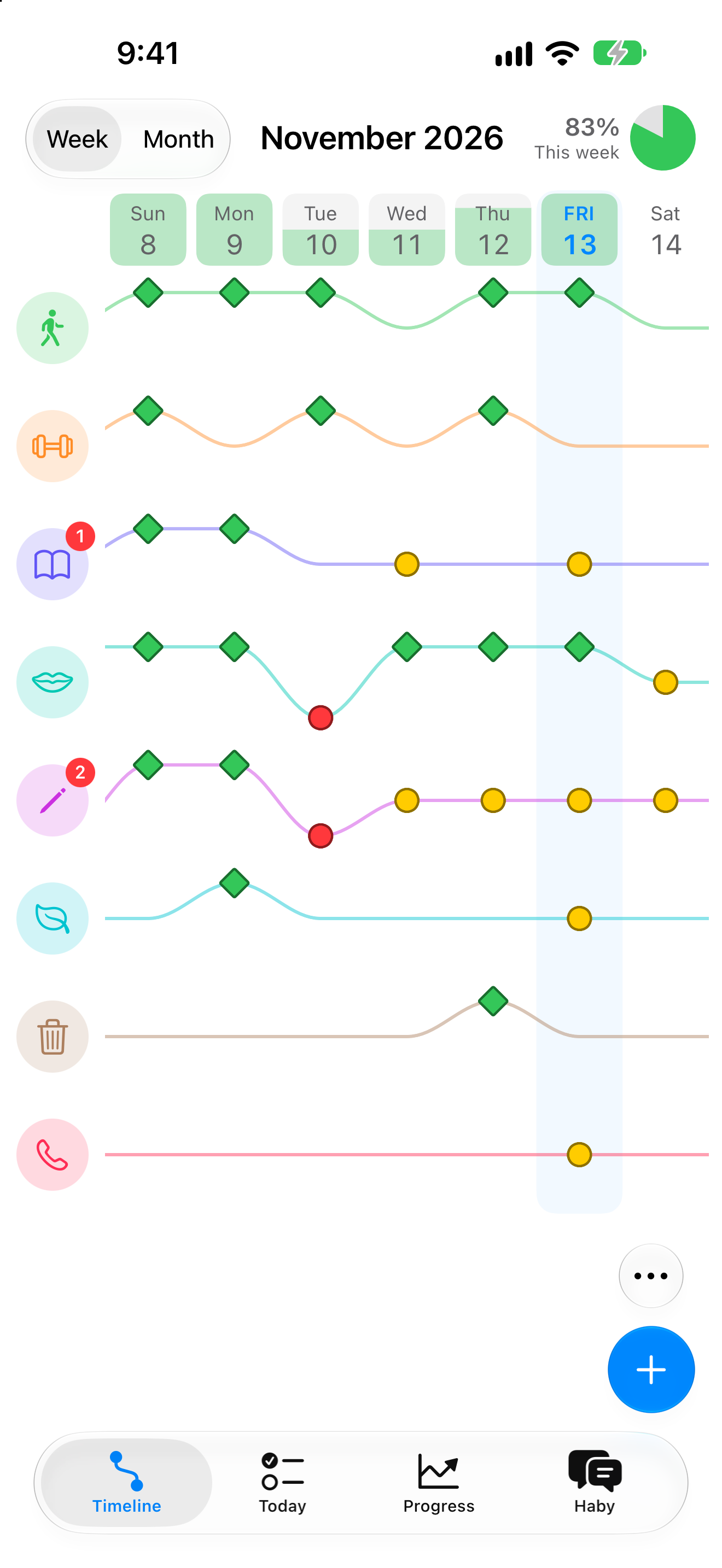
A habit tracker that shows your rhythm at a glance. Drag a dot up for done, down for skipped. Missing a day isn't failure, it's information, and nothing ever resets.
- iPhone
- iOS 26 or later
No account, no ads and no analytics.
Example data. View larger
See it in 30 seconds
Why Habitifier doesn't count streaks, and what it shows instead.
Your rhythm, in plain view
A crest when done, a trough when skipped, level when excused or still ahead.
One screen, one drag
Drag a dot up for done and down for skipped. Tap today's dot to step through the states.
View larger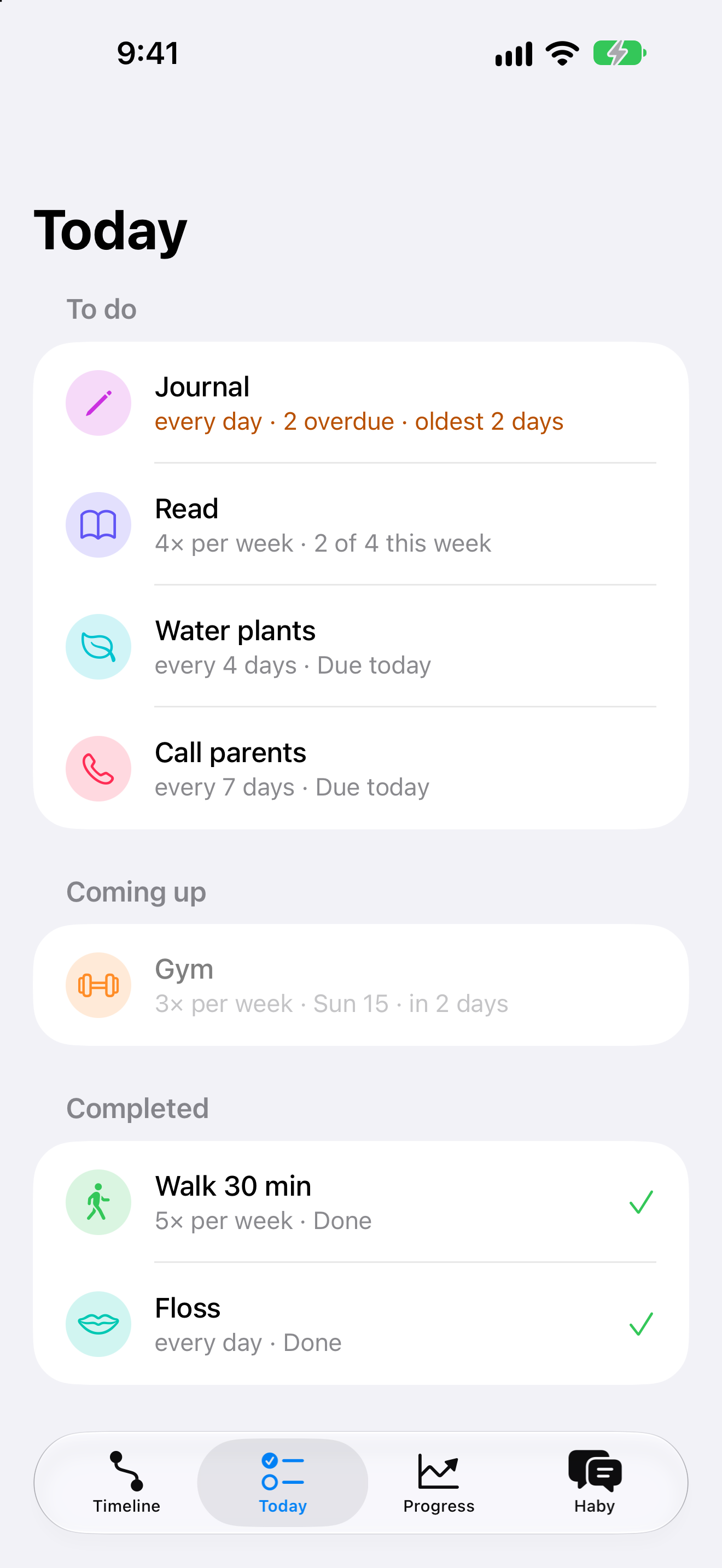
Today, in words
When you'd rather read than glance, the Today list names what's due.
View larger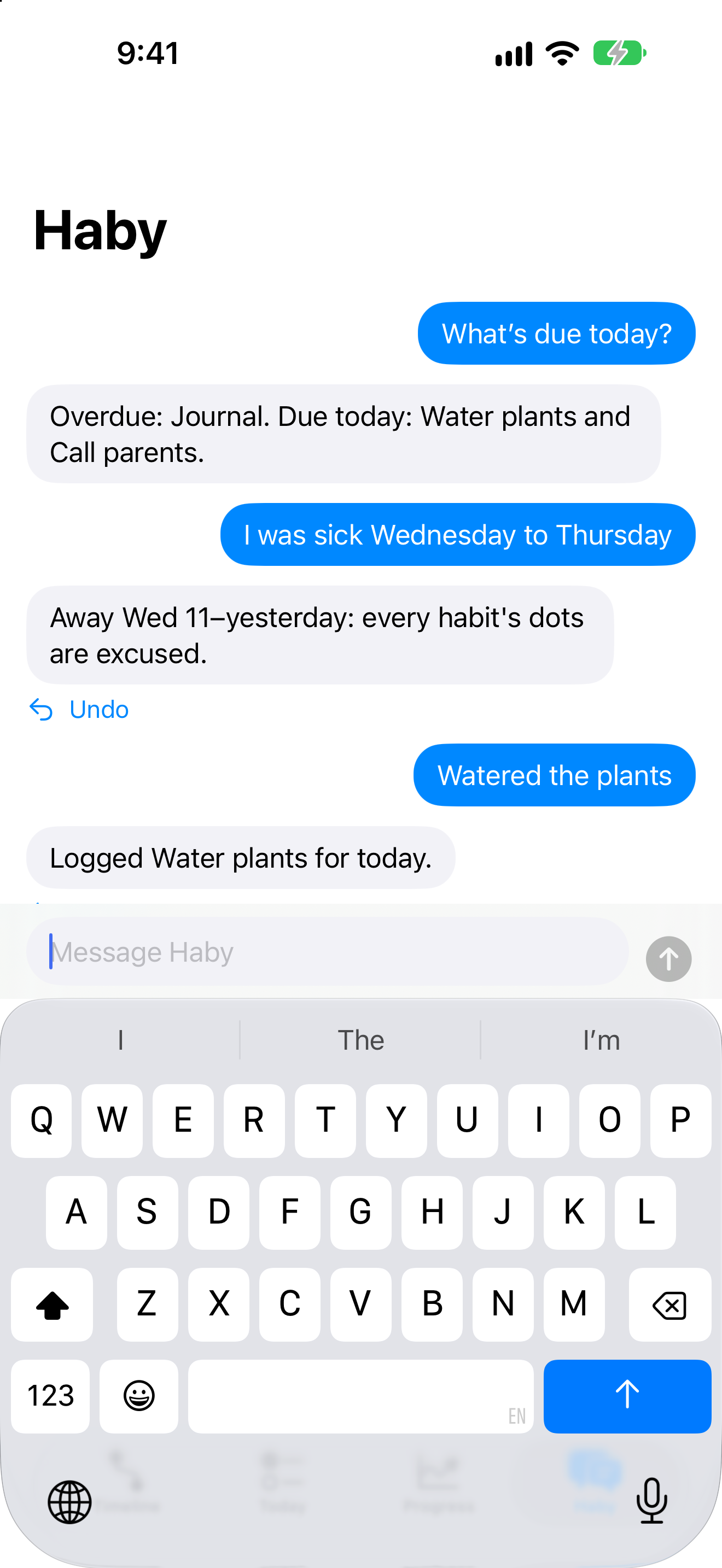
Talk to Haby
Log, skip, move or add habits in plain words. It runs on your iPhone.
View larger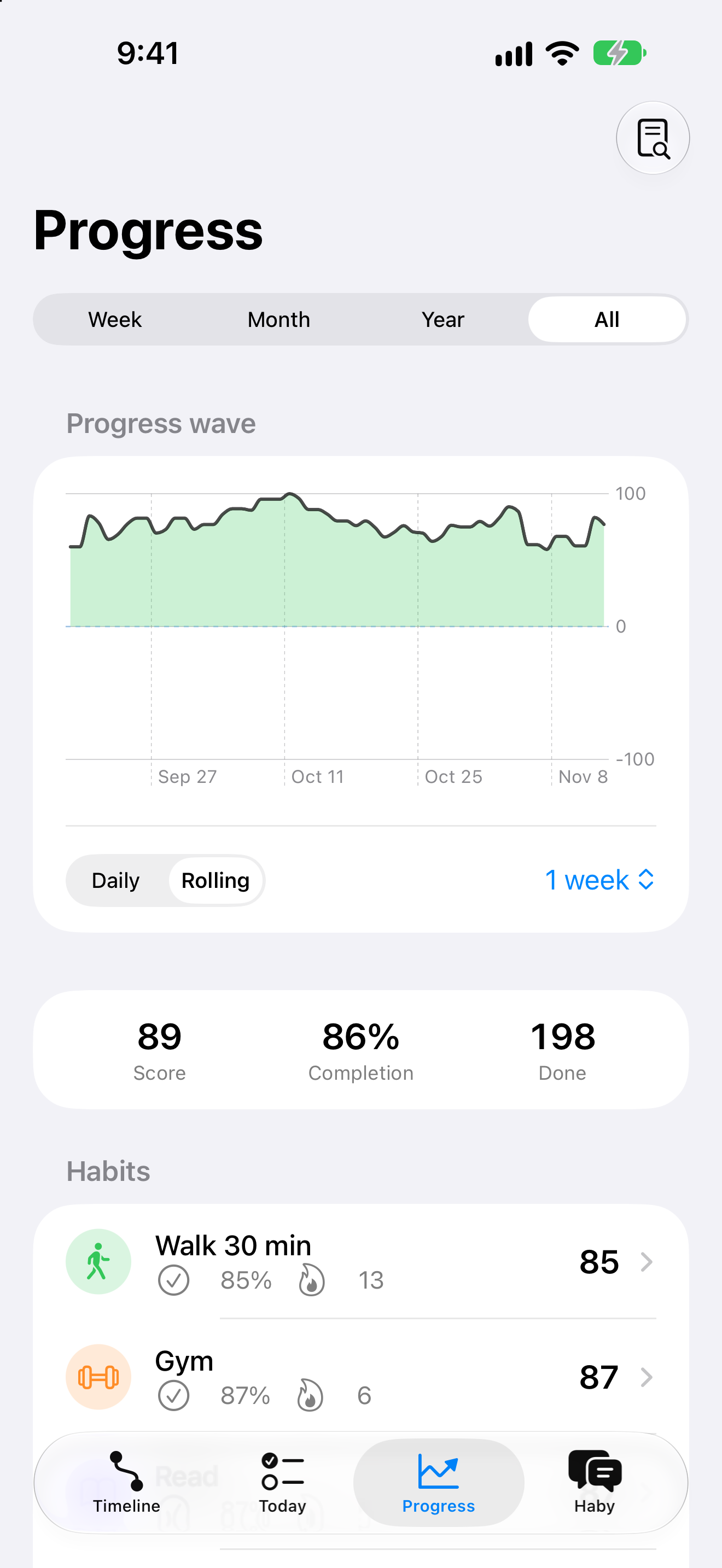
See how you're doing
A score out of 100, streaks, completion rates and a heatmap for each habit.
View largerScreens show example data.
Habits that fit real life
And nothing that sends your data anywhere.
Schedules that fit
Every few days or weeks, fixed weekdays, or a number of times a week on whichever days suit you. Start from a template or make your own, with an icon and a color. Long-press a dot and slide it sideways to do a habit early or late, and the plan follows from there.
Missing isn't failure
Late habits stay open until you deal with them, and nothing resets. Excuse a day when you had a reason, or tell Haby "I was away Monday to Wednesday" and every habit is excused for those days.
Reminders that help
A nudge at the time you pick, with Done, Skip and Later right in the notification. Reply in your own words, or let an important habit ring as an alarm.
Haby, your assistant
Tell Siri "Log gym in Habitifier" or ask what's due today. Chat with Haby to log, skip, move or add habits in plain words. It runs on your iPhone with Apple Intelligence, and falls back to simple rules when that's unavailable.
Apple Health
Link a habit to a workout, walk, weigh-in or other Health entry. When a match shows up, Habitifier asks whether to mark the habit done. It never marks anything on its own, and Health data stays on your iPhone.
Widgets, reports and more
Home and Lock Screen widgets, a Control Center control that logs a habit, a year view for every habit and a weekly report. Lock the app with Face ID, hide habit names in notifications, and export everything to a file you can restore later.
Private by design
No account, no server, no ads and no analytics. Your habits sync only through your own private iCloud. Read the Habitifier privacy policy.
Habitifier support
Help with habits, reminders and keeping your data safe.
Talk to us
For app issues, feedback or feature requests, email support@coevio.dev.
Email Habitifier supportHelp us understand the issue
- Your iPhone model and iOS version.
- What you were doing, and the steps that led to the problem.
- The error message, if Habitifier showed one.
If you attach a screenshot, hide habit names you'd rather keep private.
Your data
Where is my data kept? Can you see it?
Habitifier has no account and no server, so we never see your habits. They sync between your devices only through your own private iCloud. Without iCloud the app works fully offline.
How do I back up or move my habits?
Export everything to a JSON file from Settings and restore it later, on this iPhone or another one.
Reminders
I don't get nudges
Allow notifications when iOS asks. If you said no before, open Settings → Notifications → Habitifier and allow them. Each habit can also have its nudges turned off in its own settings.
Apple Health
Habitifier didn't offer to mark a habit done
Open the habit and check that it's linked to Apple Health, then allow read access to that type when iOS asks. Habitifier only asks, it never marks a habit on its own.
Still need help? Contact Habitifier support.